This is default featured slide 1 title

Go to Blogger edit html and find these sentences.Now replace these sentences with your own descriptions.This theme is Bloggerized by Lasantha Bandara - Premiumbloggertemplates.com.

This is default featured slide 2 title

Go to Blogger edit html and find these sentences.Now replace these sentences with your own descriptions.This theme is Bloggerized by Lasantha Bandara - Premiumbloggertemplates.com.

This is default featured slide 3 title

Go to Blogger edit html and find these sentences.Now replace these sentences with your own descriptions.This theme is Bloggerized by Lasantha Bandara - Premiumbloggertemplates.com.

This is default featured slide 4 title

Go to Blogger edit html and find these sentences.Now replace these sentences with your own descriptions.This theme is Bloggerized by Lasantha Bandara - Premiumbloggertemplates.com.

This is default featured slide 5 title

Go to Blogger edit html and find these sentences.Now replace these sentences with your own descriptions.This theme is Bloggerized by Lasantha Bandara - Premiumbloggertemplates.com.

Cara Mendapatkan Uang dari YouTube
Showing posts with label Resetter Epson. Show all posts

05 September 2014

Avast Free Antivirus! 2014 serial key valid sampai 2095


Avast 9 – 2014
Jika anda pernah mendengar tentang AVAST, anda akan ingat akan sebuah Antivirus yang cukup handal dan mumpuni. Banyak orang yang percaya akan kehebatan Avast Antivirus ini.
Proteksi Antivirus AVAST ini sdh ada sejak 25 tahun yang lalu.
Bagaimana cara Aktivasi AVAST ini, anda pelu memasukkan Serial number yang tertera dibawah.

Cara Aktivasi:
1. Matikan semua Network dan Internet
2. Install Avast
3. Masuk ke menu Setting Registration dan pilih Installer
4. Copy serial number dibawah
5. Cuma itu saja kok...

Download :

Selamat dan Sukses...!!!!
21 January 2011

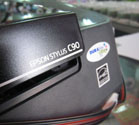
Cara mereset Printer Epson C90

Printer Epson C90 yg sering kita pake suatu saatnya nanti pasti akan nge-Blink alias counternya full dan mau tdk mau harus di-reset ke tempat service center. Nah, ini saya kasi tips sedikit agar printer anda tdk usah bolak-balik ke service center, yaitu dengan cara mereset sendiri printer anda dirumah.
Pertama, download dulu resetter Epson C90, download ke hardisk, terus di ekstrak pake winzip. Buka Folder Adjustment c90_r, baca readme dan …
- Printer On
- buka file Date cracker
- Ubah tanggal sekarang ke Juli-11-2007 (date cracker jangan ditutup dulu)
- Jalankan Adjustment Program
- Pilih Accept
- Pilih Particular adjustment mode
- Pilih “Waste ink pad counter – OK
- Klik “Initialization”
- Matikan Printer dan hidupkan lagi

kalo sudah selesai, balikin tanggal ke tanggal sekarang di Date Cracker.

Selamat mencoba dan semoga bermanfaat…!

Download resetter Epson C90, klik disini

Powered by Blogger.